Cloud9 API
Everything you change in the portal you can change from code. JSON over HTTPS, one key per job, and the same plan limits as the portal.
Start in three steps
- Sign in to the portal and open "API keys".
- Create a key with only the permissions your tool needs; limit it to some domains, allowed IP addresses and an expiry date if you like. The key is shown once.
- Send it as a Bearer token. The first call lists the domains the key may use.
export KEY=oscust_...
curl -H "Authorization: Bearer $KEY" https://my.cloud9.ir/api/customer/v1/domains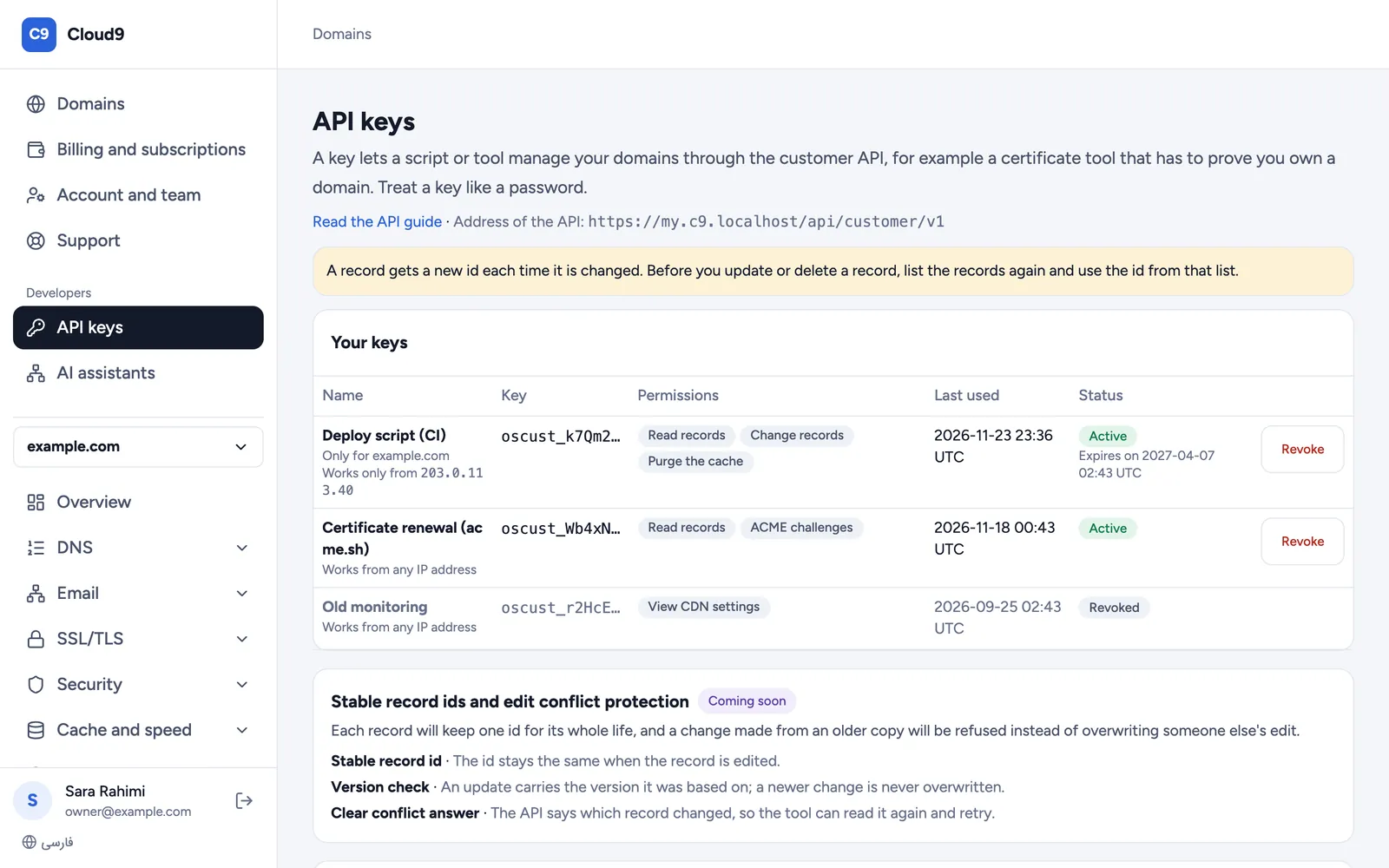
Keys and authentication
Customer keys start with oscust_, are stored hashed and are shown only once. Send the key in the Authorization header as a Bearer token, or in X-Api-Key.
Only HTTPS is accepted. A key can carry its own list of allowed IP addresses and an expiry of 7, 30, 90, 180 or 365 days; a suspended account cannot use its keys.
Authorization: Bearer oscust_...
X-Api-Key: oscust_...
Base address: https://my.cloud9.ir/api/customer/v1
Permissions
A key carries the permissions chosen when it was created; they cannot be widened later. A request outside them gets 403 scope_denied.
| Permission | Allows |
|---|---|
records.read | Read the records of a domain. |
records.write | Add, change and delete records, and put a record behind the proxy with proxied. Includes reading. |
acme | Publish and remove _acme-challenge TXT records only, for certificate clients. |
services.read | Read the services, the page check, certificates and firewall events. Traffic, the route report and failed visits need this permission itself, because they hold visitor addresses. |
cdn.purge | Purge the whole cache or chosen addresses. |
cdn.cache | Change the cache level, cache times per file type and development mode. |
cdn.pull | Create pull zones. |
proxy.nodes | Choose which nodes answer the domain. |
proxy.ssl | Change SSL, HTTPS redirect, HSTS, the lowest TLS version, redirects, timeouts and the origin health check. |
speed | Turn compression and minifying on or off. |
security | Change attack protection, the request limit and bot blocking. |
firewall | Change the web application firewall mode. |
email.read | Read the email state, the mail log, the inbox and DMARC reports. |
email.settings | Change addresses, receiving, sending, DMARC reports and mail record fixes. |
email.send | Send mail from an address of the domain. |
domain.settings | Turn own nameservers on or off and change own error pages. |
domains.manage | Add a domain and remove a domain you added; not for keys limited to some domains. |
billing.read | Read the wallet, invoices and plans. |
billing.manage | Pay or cancel invoices, start a wallet top-up, order a plan and change the renewal; includes reading. |
tickets | Open, read, answer and close tickets. |
team | Team members and connected AI assistants; changes are not for keys limited to some domains. |
- GET /domains works with any permission.
- A key limited to some domains sees only those; any other domain answers 404 domain_not_found, as a domain that is not yours does.
- For a deploy pipeline, a key with only cdn.purge and one domain can purge the cache and nothing else.
- A key limited to some domains sees only their invoices (no wallet balance), cannot top up or pay from the wallet, opens tickets only about those domains, and cannot change the team or AI connections.
Answers
Every answer of the API code is JSON with ok. On success data holds the result; on failure error holds a code and a message. Check the HTTP status first: a 429, an unknown route or a wrong method answers outside this envelope.
{"ok": true, "data": ...}

{"ok": false, "error": {"code": "domain_not_found", "message": "Domain not found."}}
Errors
The code in error.code says what went wrong; the message is for people.
| Status | Code | Meaning |
|---|---|---|
| 401 | unauthorized | The key is missing, wrong or revoked. |
| 401 | key_expired | The key is past its expiry date. |
| 403 | https_required | The request was not sent over HTTPS. |
| 403 | ip_not_allowed | The key has an IP list that does not include your address. |
| 403 | client_inactive | The account is suspended. |
| 403 | scope_denied | The key's permissions do not allow this request. |
| 404 | domain_not_found | The domain does not exist, is not yours, or is outside the key's domains. |
| 404 | record_not_found | The record id does not exist (list the records again). |
| 412 | record_changed | If-Match named an older etag: someone changed the record since you read it. |
| 404 | service_not_found | Unknown service name. |
| 409 | record_rejected | The zone contains record types the API cannot safely change. |
| 422 | record_rejected | The record failed validation, or it is an apex NS record (managed by Cloud9). |
| 422 | limit_exceeded | A plan limit refused the change: type, minimum TTL or record count. |
| 422 | not_in_plan | The domain's plan does not include this service or setting. |
| 422 | invalid_input | A field is missing or not one of the allowed values. |
| 422 | invalid_challenge | The ACME name or value is not valid. |
| 422 | pull_zone_rejected | The pull zone name or origin was refused. |
| 429 | too_soon | Wait a few minutes before asking again (for example another confirmation link). |
| 429 | throttled | Too many requests: at most 60 a minute per address. |
| 502 | backend_error | The zone could not be read or written; try again. |
| 503 | unavailable | A store is briefly unavailable; try again. |
Limits and good practice
- At most 60 requests a minute per client address; beyond that the answer is 429.
- The plan limits of the portal apply to every write: allowed types, minimum TTL and number of records.
- A record keeps its id when it changes. Each record also has an etag; send If-Match: <etag> with an update or a delete to change it only if nobody changed it since you read it (otherwise 412 record_changed with the current record).
- Records of the mail service (MX and mail names) are never proxied, and apex NS records are managed by Cloud9.
Endpoints
- DomainsThe domains a key may use and the plan limits of each.
- DNS recordsList, add, change and delete records, and put names behind the proxy.
- SSL and HTTPSCertificates through DNS for acme.sh and certbot, the certificate mode, HTTPS redirect, HSTS, TLS, redirects, timeouts and the origin health check.
- Proxy and speedRead every service at once, choose the nodes per domain or per name, and turn compression and minifying on.
- Security and alertsAttack protection, the request limit and bot blocking, access rules and limits per path, the firewall and its exceptions, and alerts by email, SMS, Telegram or webhook.
- CDN cacheCache level, cache times per file type, development mode, purging and pull zones.
- EmailAddresses as an inbox or a forward, receiving and sending on or off, DMARC reports, mail record fixes, the inbox, the mail log and sending mail.
- Account, billing and supportThe wallet, invoices, plans and renewal, tickets, team members and connected AI assistants.
- Traffic and reportsRequests, cache and visitors; the route report by country; failed visits and the page check.
- AI assistants (MCP)Connect Claude, ChatGPT or any MCP client to your Cloud9 account and manage domains in plain words: records, CDN and proxy settings, the cache, traffic, and moving a domain from another provider.
No answer here? Sign in to the portal and open a ticket. Open a ticket