AI assistants (MCP)
Connect Claude, ChatGPT or any MCP client to your Cloud9 account and manage domains in plain words: records, CDN and proxy settings, the cache, traffic, and moving a domain from another provider.
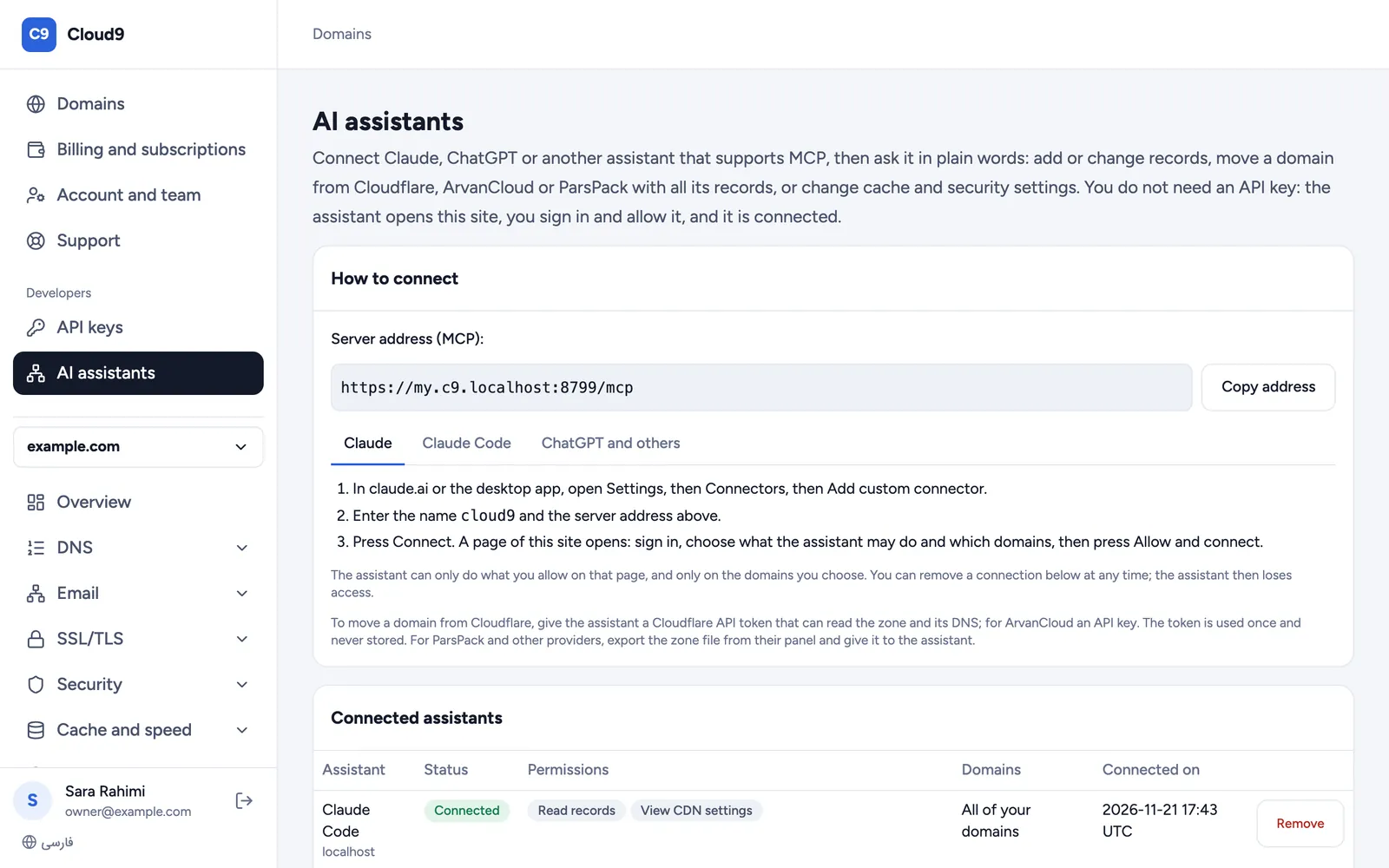
Server address
https://my.cloud9.ir/mcpThe connection uses OAuth: you never copy a key. The assistant opens the portal, you sign in, choose the permissions and the domains, and allow the connection. You can see and remove connections on the "AI assistant" page of the portal.
Connect
- Claude (web or desktop): Settings, Connectors, Add custom connector, and paste the server address.
- Claude Code: run the command below, then /mcp and Authenticate.
- Other clients: add a remote MCP server with OAuth and the same address.
claude mcp add --transport http cloud9 https://my.cloud9.ir/mcpA server or tool without a browser can send a customer API key as a Bearer token instead; the key's own permissions and domains apply.
What the assistant can do
Every tool goes through the customer API with the connection's permissions and domains, so the plan limits and safety rules are the same.
| Tool | Meaning |
|---|---|
list_domains | The domains the connection may use. |
list_records | The records of a domain. |
create_record | Add one record. |
update_record | Change one record. |
delete_record | Delete one record. |
get_services | The CDN and proxy settings within the plan. |
update_service | Change nodes and backup servers, SSL and HTTPS rules, cache and always online, speed, attack protection, access rules, alerts or the firewall. |
purge_cache | Purge the whole cache or chosen addresses. |
acme_challenge | Publish or remove an _acme-challenge TXT record for a certificate. |
create_pull_zone | Create a CDN pull zone. |
get_nameservers | Our and your own nameservers with glue. |
check_delegation | Check the delegation at the registry now. |
run_speed_test | Time a page through the nodes and from your server. |
export_zone | The zone file. |
get_email | The email state of a domain. |
list_inbox | Received and sent messages. |
set_email_addresses | Inbox or forwarding addresses. |
send_email | Send a message from an address of the domain. |
get_traffic | Requests, visitors by class, busiest bots and top countries. |
get_geo_log | Which visitor country went to which origin. |
get_failed_visits | Visitors who did not get the page, and why. |
check_page | Files your pages load from other sites: whether they block the page and whether they load. |
add_domain | Add a domain and get its name servers. |
import_from_provider | Read every record of a domain from the previous provider with your API token there. |
import_zone_file | Import the records of a zone file exported from any provider or control panel. |
import_records | Import a list of records the assistant read elsewhere. |
Safety
- You choose the permissions and the domains of each connection; they work as an API key does.
- Access tokens last one hour; a connection can be removed at any time in the portal.
- Team members with the manager role may connect; viewers and editors may not.