Account, team and billing
Signing in safely, team members and roles, API keys, plans, the wallet, invoices and tickets.
Signing in safely
- Sign in with a password, or with a one-time code by SMS or email.
- Turn on two-step sign-in with an authenticator app or SMS; keep the 10 recovery codes.
- Confirm your mobile number for codes, alerts and notices.
- The account page lists every signed-in device; sign out one of them, or everywhere else at once.
Team members
| Role | May |
|---|---|
| Manager | Domains, records, services, billing, API keys, AI assistants and tickets. |
| Editor | Records, services, error pages, email and tickets. |
| Viewer | Read domains, services and reports only. |
| Billing | Plans, invoices and the wallet, and tickets. |
Plans and payment
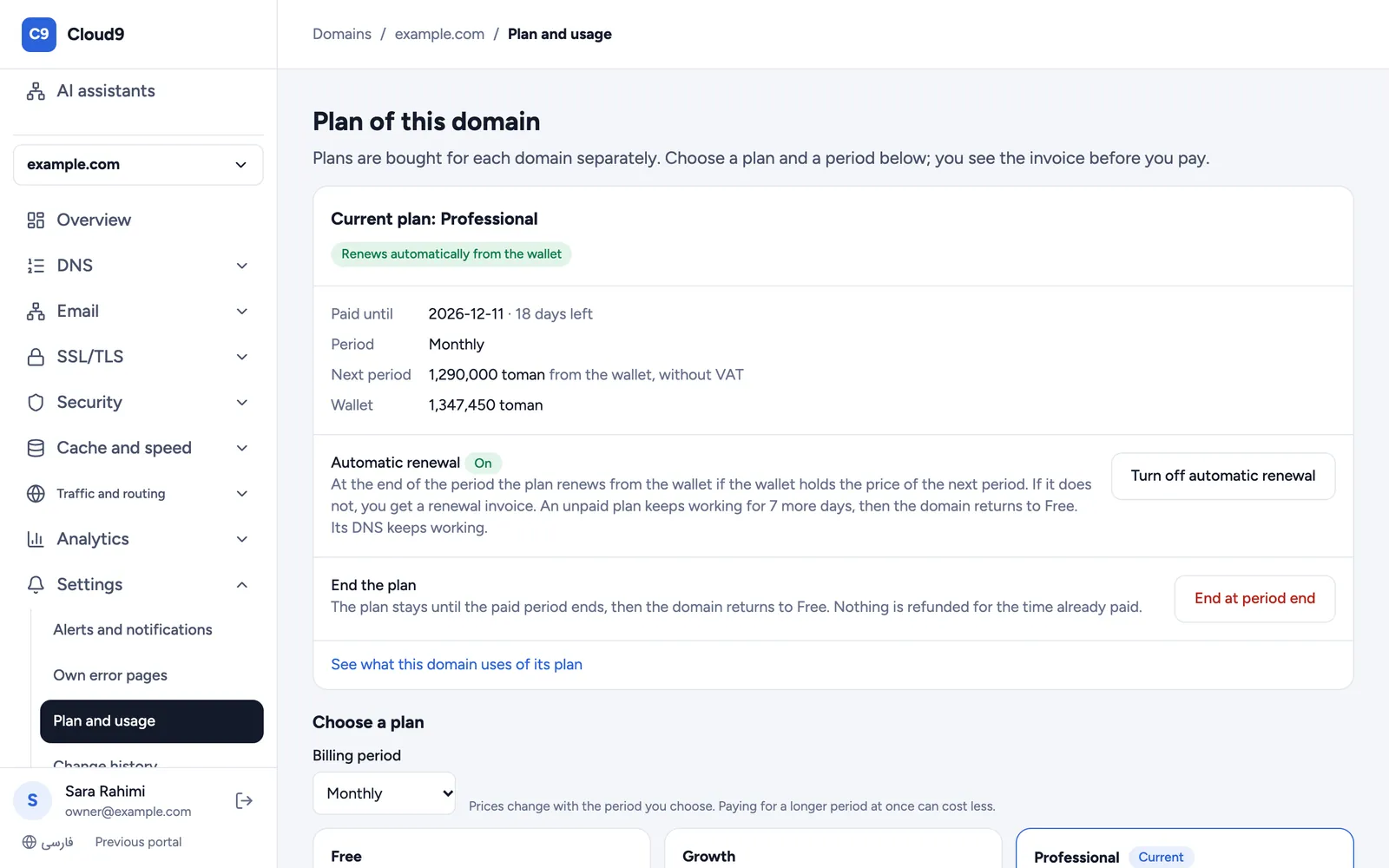
- Open the domain's Plan page and choose a plan and a period of 1, 3, 6 or 12 months; a discount code goes here too.
- Pay from the wallet or through an Iranian bank gateway. VAT is added once, on the invoice.
- Choose automatic renewal from the wallet; reminders come 7, 3 and 1 day before the end. Changing plan mid-period credits the days you did not use.
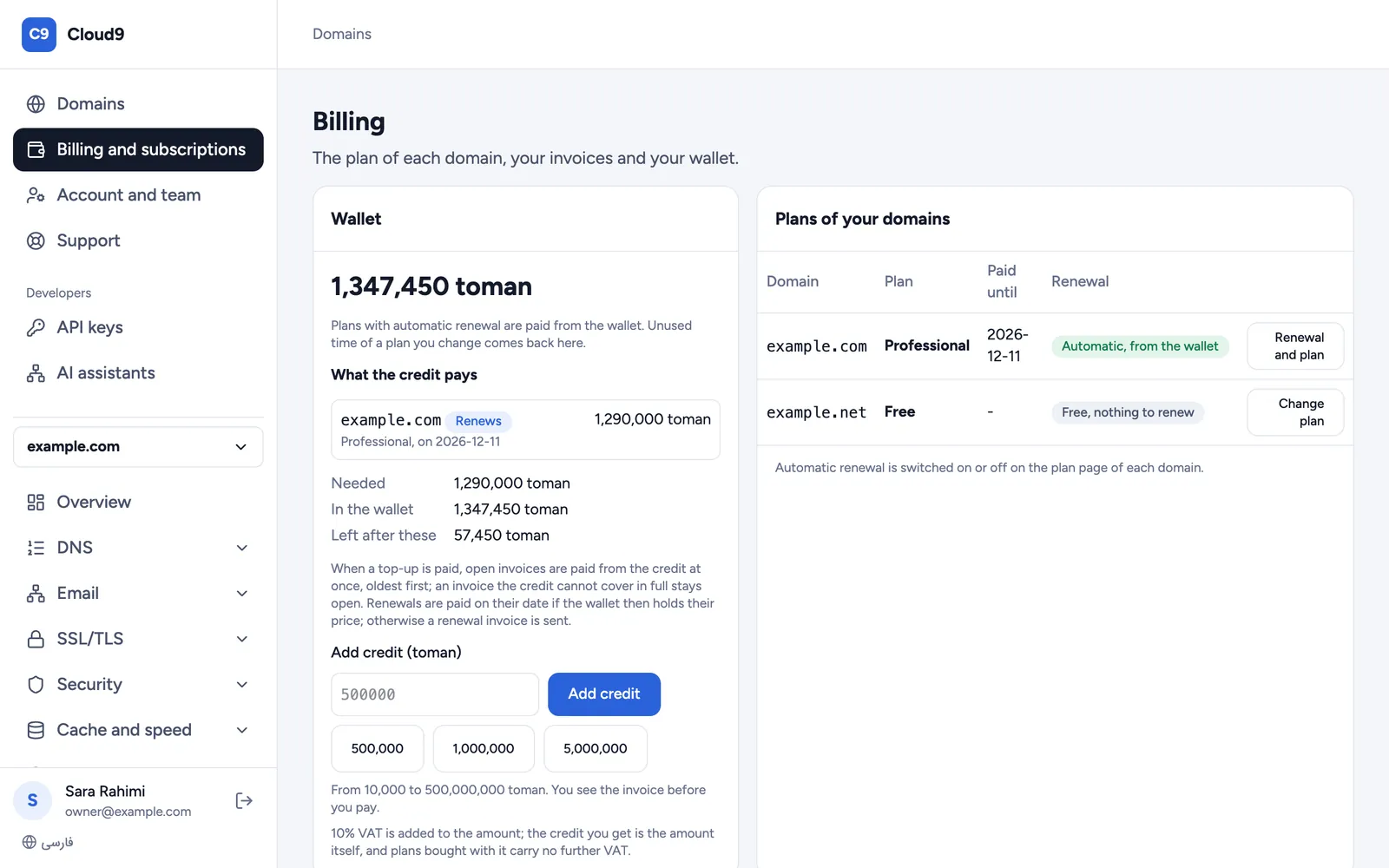
Wallet and invoices
The billing page shows the wallet balance, top-ups, invoices and active plans. Ask for an official invoice by filling in the buyer details once.
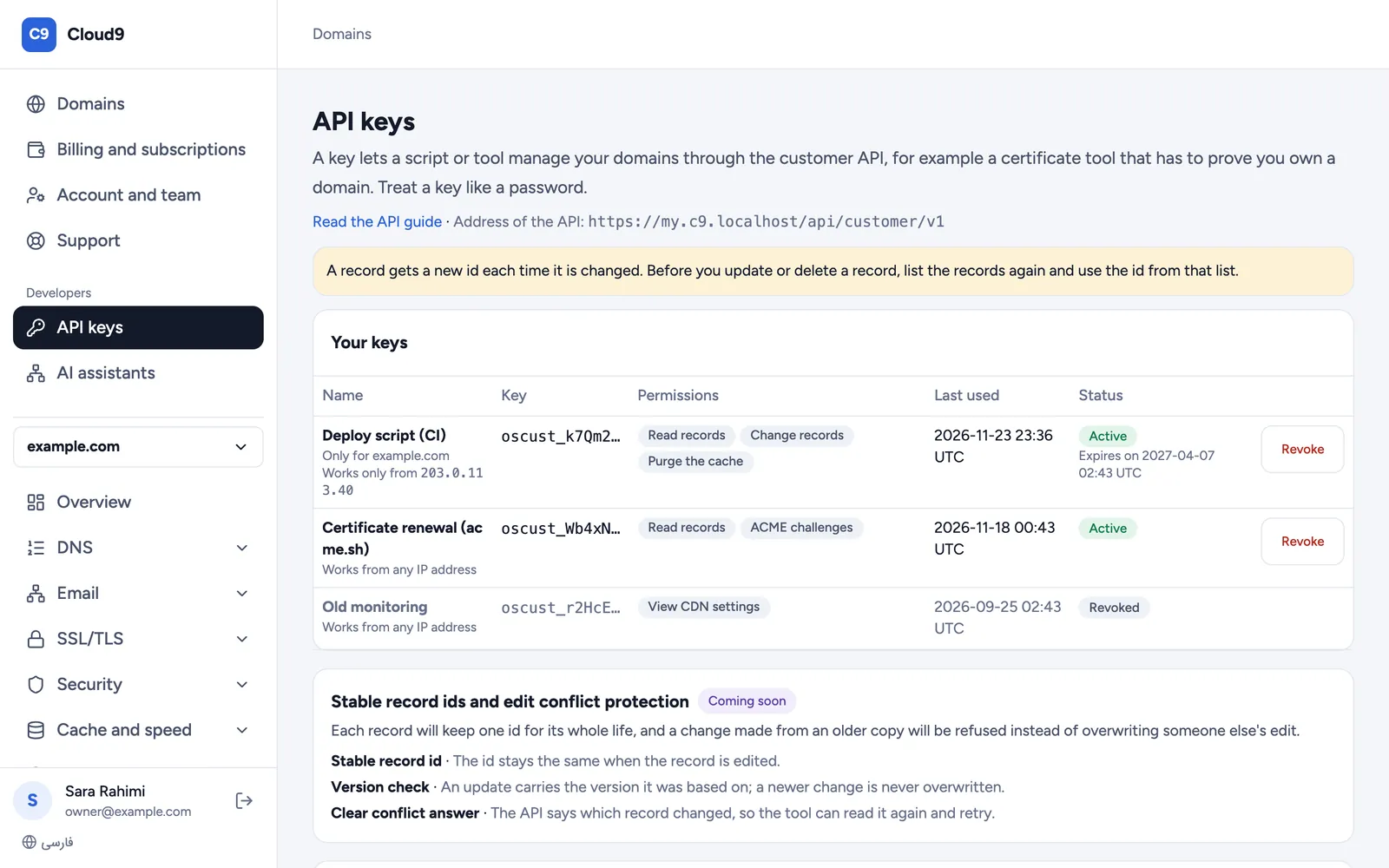
API keys and AI assistants
Create keys with only the permissions a tool needs on the API keys page; connected AI assistants are on the AI assistant page, where you can remove them.
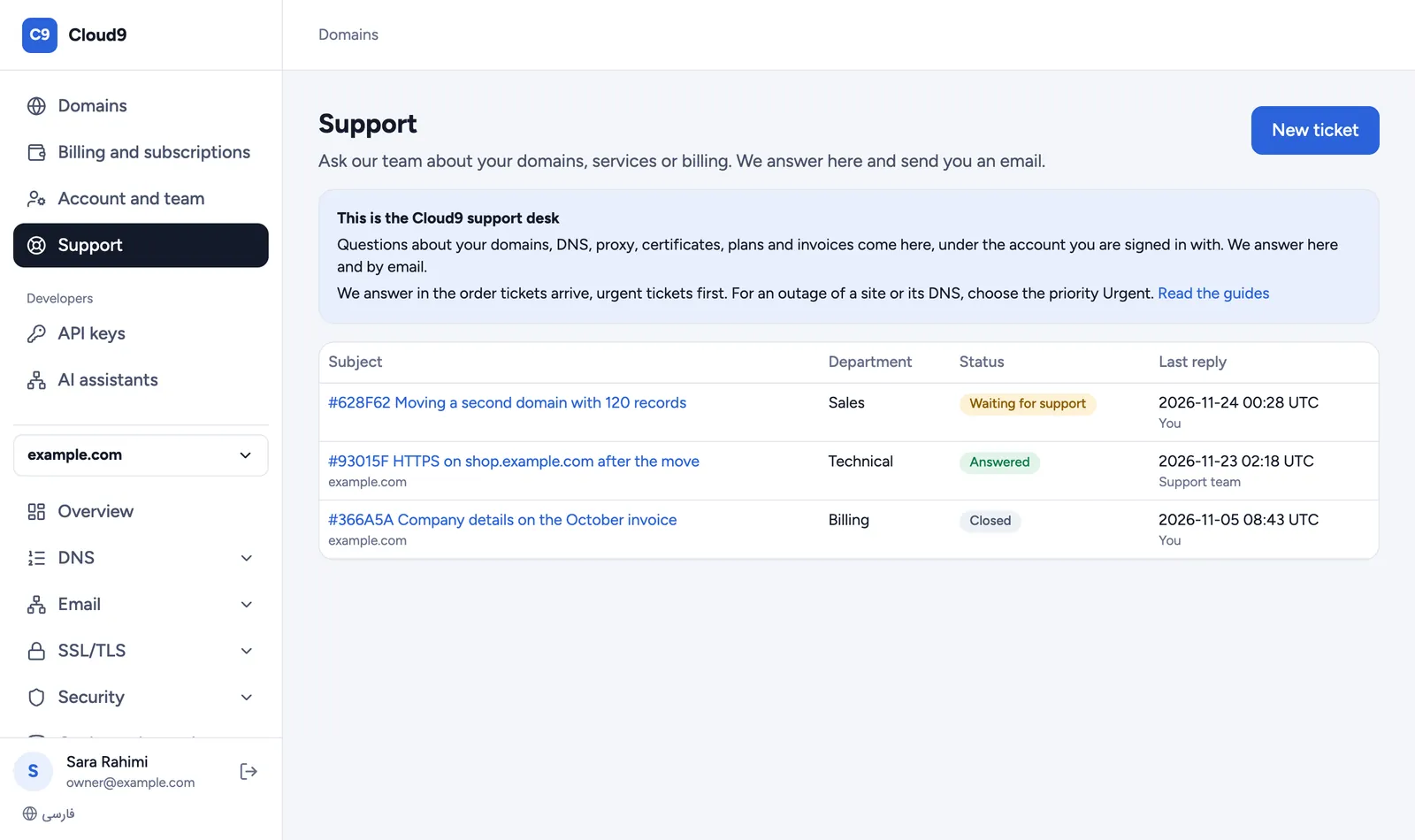
Tickets
Open a ticket about a domain, with up to 3 attachments per message. You get an email and an SMS when it is answered; a ticket closes by itself 7 days after an answer and opens again when you reply.
No answer here? Sign in to the portal and open a ticket. Open a ticket